
Daily News: Headlines & Alerts
Apps SkylineNews & Magazines
4.3157.00 Reviews
- Version
- 1.15.0
- Installs
- 500.00K
- Age Rating
- Everyone
Screenshots
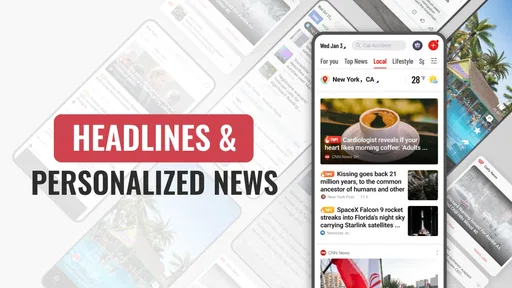
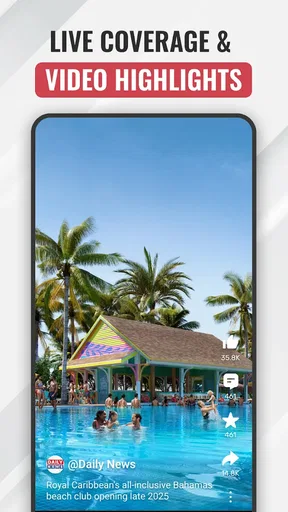
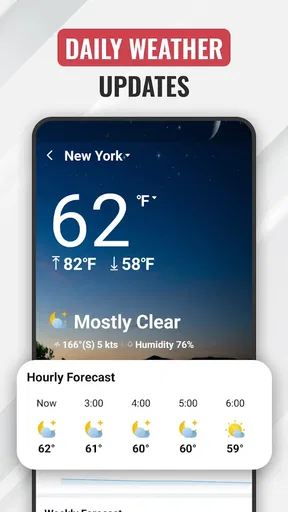
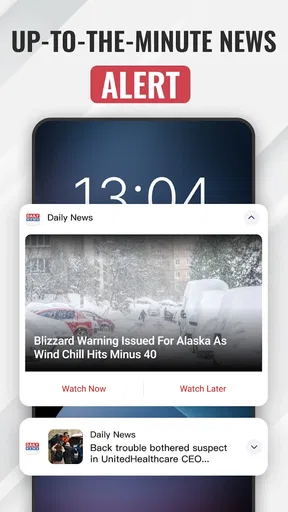
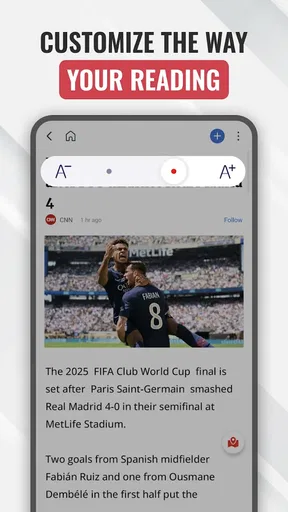
Our Review of Daily News: Headlines & Alerts
 Analysis by Appyee
I approached Daily News: Headlines & Alerts as a practical news-reading app rather than a complete replacement for every publication I follow. Its purpose is straightforward: bring daily headlines into one place and make the experience feel more personal than opening several separate news sites. That simplicity is its strongest appeal, but it also means the app is best judged by how clearly it helps me choose what to read, how much control it gives me, and how carefully I handle the information shown on screen.
Developed by Apps Skyline, this free News & Magazines app is aimed at a broad audience, with an Everyone content rating. It has reached over 500 thousand installs and holds a 4.3 average from around 1.6 thousand ratings, which suggests that many readers find the basic idea useful. I would still treat those figures as a starting point rather than proof that it will suit every news habit. News apps are personal: someone who wants a quick morning overview needs something different from a reader who follows a few specialist publications in depth.
How Daily News fits into a real reading routine
My most natural use for the app is a short check-in at the beginning or end of the day. Instead of deciding which individual sites to open, I can begin with a general headline view, scan for subjects that matter to me, and then spend time only on the stories that seem relevant. That reduces the small amount of friction that often causes me to skip the news entirely.
The app’s store summary focuses on personalized daily news, and that is the right way to understand its role. It is not merely a static list of headlines. The value comes from shaping a reading session around my interests rather than treating every story as equally important. In practice, I would use the first pass for discovery and then decide whether a story deserves a closer read elsewhere or inside the app’s reading flow.
A realistic example is a weekday commute. I may have only a few minutes, so I would look through the main headlines, identify one local concern, one wider world story, and perhaps a technology item, then stop. On a quieter evening, I could return to the subjects that caught my attention. This two-stage habit is more useful than trying to read everything, because a news feed can quickly become overwhelming when every headline feels urgent.
That workflow also reveals an important trade-off. A personalized feed can save time, but it can narrow attention if I only select comfortable subjects. I would deliberately revisit the broader headline view from time to time rather than allowing my reading to become a closed loop. Personalization is helpful when it organizes information; it is less helpful when it quietly decides the entire range of information I see.
What the current version means for everyday use
The current release is version 1.15.0, and it supports devices running Android 8.0 or newer. That makes the app accessible to people using older Android hardware, although compatibility alone does not tell me how smoothly it will feel on every phone. On a smaller or slower device, a news app is most comfortable when I keep my expectations realistic and avoid treating it like a full research workspace.
I would also install it with a specific purpose in mind. If I want a quick overview, it makes sense. If I need a carefully organized archive of one publication, a specialist reader may be a better fit. If I want live reporting, deep investigations, or a direct relationship with a particular newsroom, I would not assume that a general daily-news app can provide the same depth.
The free price lowers the barrier to trying it, which is useful for casual readers. It also changes how I evaluate the experience: I pay close attention to interruptions, clarity, and whether the app helps me reach useful information without unnecessary confusion. A free app still deserves careful scrutiny, especially when news reading can involve links, notifications, and personal preferences.
Trust starts with visible choices
For me, trust in a news app is not created by a polished interface alone. I look for clear choices during setup and regular use. Can I understand why a topic appears? Can I change what I am shown? Can I decide whether alerts are welcome, and can I turn them off without hunting through several unrelated menus? These are small details, but they determine whether the app feels like a tool I control.
I would therefore take a slow approach during the first session. Rather than accepting every prompt automatically, I would read each one and choose only what supports my routine. If the app asks about news interests, I would select a useful starting set but avoid assuming that my first choices must remain permanent. A good personalized feed should be adjustable as my interests change.
Notifications deserve particular attention. News alerts can be helpful when I genuinely need timely reminders, but they can also fragment the day and make ordinary updates feel urgent. My practical advice is to begin with a restrained alert setup, use the app for a few days, and then decide whether more notifications add value. If an alert repeatedly interrupts work without leading to meaningful reading, it is not serving me well.
This is also where Daily News should be compared with ordinary browser bookmarks. A browser gives me direct control over which sites I visit, but it requires more effort and offers less of a unified starting point. The app is more convenient for discovery, while bookmarks are often better for deliberate source selection. I would use the app for breadth and keep trusted direct sources for stories where editorial context matters most.
Handling sensitive information and source context
News is not neutral personal content. The subjects I read can reveal interests, worries, political concerns, health questions, travel plans, or professional priorities. I do not need to assume anything about the app’s data practices to recognize that a news-reading history can be sensitive. That is why I would avoid treating a personalized feed as a private diary and would be thoughtful about what I search for or repeatedly open.
Before settling into regular use, I would review the app’s visible privacy disclosures and the permission prompts presented on my device. I would grant only permissions that make sense for the way I intend to use it. If a permission appears unrelated to reading headlines or managing alerts, I would pause and investigate its purpose rather than approving it automatically. The right response to an unclear request is caution, not guesswork.
I would apply the same care to account controls. If the app offers account creation, I would consider whether signing in is genuinely necessary for my preferred routine. An account can be convenient when it preserves preferences across devices, but it can also create another layer of information management. I would look for clear options to edit preferences, sign out, and remove an account if I later decide the service is no longer useful.
Another practical point is the difference between a headline and a verified conclusion. A concise headline is designed to attract attention, not to provide every qualification. I would open the full story, check its publication context, and compare important claims with a trusted source before sharing them. Daily News can help me discover what deserves attention, but I would not let a feed replace my own judgment about accuracy or significance.
This matters especially during fast-moving events. Early reports can change, and a personalized stream may place several updates close together without making the development clear at a glance. In those moments, I would look for the newest available context and avoid forwarding a dramatic headline simply because it appeared prominently. The app can be a useful starting point, but responsible reading still requires patience.
Small habits that make the app more useful
My first specific tip is to separate discovery from commitment. I would scan the feed once without opening everything, mark mentally which topics deserve attention, and then return to those items. This prevents the common mistake of spending the whole session jumping between headlines without remembering what I actually learned.
My second tip is to use personalization as a rotating tool rather than a permanent setting. I would begin with my usual interests, then occasionally broaden them so the feed does not become too predictable. This is a useful compromise: the app remains efficient for daily reading while still leaving room for subjects I might otherwise miss.
My third tip concerns alerts. I would treat them as an optional layer, not as the app’s main value. A quiet feed that I choose to open is often better for concentration than a constant stream of interruptions. If I enable alerts, I would review their usefulness after a few days and reduce them when they create more anxiety than awareness.
My fourth tip is to keep a distinction between quick reading and source checking. For ordinary awareness, a headline roundup may be enough. For decisions involving money, health, safety, work, or public events, I would follow the story beyond the first summary and consult an established source directly. That habit makes the app more useful without asking it to do a job it was not designed to do.
Where it beats familiar alternatives, and where it does not
Compared with opening several newspaper websites one by one, Daily News is more convenient for a broad daily scan. It reduces the number of decisions I need to make before I start reading. That is its clearest advantage for busy people, occasional readers, and anyone who wants a single place to begin.
Compared with a dedicated publication app, however, it may feel less focused. A publication’s own app is usually the better choice when I care deeply about one newsroom’s organization, long-form work, saved articles, or subscription experience. I would choose Daily News when variety and quick discovery matter more than loyalty to a single source.
Compared with a browser, the app can be more comfortable for a repeat routine, especially when personalization and alerts are useful. The browser remains stronger for source independence, private one-off searches, and switching easily between different websites. Neither option wins in every situation; the best choice depends on whether convenience or direct source control is my priority.
Compared with social media, a dedicated news app can offer a calmer starting point because I am not mixing headlines with conversations, entertainment, and unrelated recommendations. Still, I would not assume that any feed is automatically complete or unbiased. I would use the app to reduce noise, then actively seek context when a subject is important.
Who should try it and who should skip it
I think the app is a good candidate for readers who want a free, simple way to begin a daily news habit. It is especially suitable if I often feel that checking several sources takes too much time, or if I want personalized discovery without committing to one publication. The Everyone rating also makes it approachable for a general household audience, provided each person applies sensible judgment to the stories they read.
I would be more cautious if I already have a carefully managed collection of trusted sources and do not want a personalized layer between me and those publishers. I would also look elsewhere if I need specialist reporting, extensive offline research, detailed source archives, or advanced reading tools. A general headlines app should not be forced into the role of a professional research system.
Readers who are particularly sensitive to notifications should begin with alerts limited or disabled until the routine proves worthwhile. Likewise, anyone concerned about personal data should inspect the app’s privacy information and device prompts before making it part of a long-term habit. Those are not reasons to reject it automatically; they are sensible checkpoints for any app that adapts content to the reader.
My cautious verdict after using it
Daily News: Headlines & Alerts is most convincing when I treat it as a front door to the news rather than the entire building. It can make daily discovery easier, help me organize a short reading session, and reduce the effort of checking multiple places. Its free availability and broad device support make experimentation straightforward, while the solid user response indicates that the central idea works for many people.
My recommendation comes with boundaries. I would keep notifications under control, review permissions and account choices carefully, and verify important claims beyond a headline. I would also revisit my interests periodically so personalization remains useful instead of becoming restrictive. Those habits preserve my agency and make the app fit into my routine on my terms.
For a reader who wants a convenient daily overview, I would recommend giving Daily News: Headlines & Alerts a measured try. I would not recommend relying on it alone for high-stakes information or replacing a trusted specialist source. The app’s real strength is practical discovery: it helps me decide what deserves my attention, while the final responsibility for context, privacy choices, and careful judgment remains with me.
Verdict
Strengths of Daily News: Headlines & Alerts
- Quick access to breaking headlines from multiple news categories.
- Customizable alerts help you stay informed about important developments.
- Clean, easy-to-navigate layout makes stories simple to find.
- Useful for checking current events during short breaks.
- News updates can be more convenient than browsing several websites.
Limitations of Daily News: Headlines & Alerts
- Some headlines may link to external pages with different layouts.
- Frequent alerts can become distracting without notification controls.
- News coverage and source variety may differ by region.
- Advertising may interrupt browsing or take up screen space.
- Some features may require an internet connection to work properly.
Other Releases by Apps Skyline
View All
News Today: Local & Alerts
News & Magazines4.4
Similar Picks in This Category
View All
Google News - Daily Headlines
Google LLC4.0

X
X Corp.4.8

Flipboard:Your Social Magazine
Flipboard3.4

Opera News: breaking & local
Opera4.5

Hindi News by Dainik Bhaskar
Dainik Bhaskar Group4.0

Way2News Daily News App
Way2News ( Formerly Way2SMS )4.6
Frequently Asked Questions
What is Daily News: Headlines & Alerts?
Daily News: Headlines & Alerts is a news-reading application designed to bring current headlines and important updates together in one place. It typically organizes stories by topic, allowing users to browse areas such as world news, politics, business, technology, entertainment, sports, and more. The app is intended for people who want a convenient way to follow developing events without visiting several news websites individually.
Can I customize the news shown in the app?
The application generally lets users shape their news experience by selecting preferred topics, categories, or interests. Depending on the available version and device, you may also be able to manage notification preferences and decide which types of breaking news alerts you receive. Reviewing these settings after installation is recommended, because personalized alerts can make the app more useful while preventing unwanted notifications throughout the day.
Does Daily News: Headlines & Alerts send breaking-news notifications?
Yes, alerts are one of the app’s main features. Daily News: Headlines & Alerts can notify users about major headlines and developing stories, helping them stay informed even when the application is closed. However, the frequency and timing of notifications may vary depending on your selected topics, regional settings, internet connection, and the app’s current configuration. Notifications can usually be adjusted or disabled through the app or device settings.
Is the news content reliable and where does it come from?
The app serves as a convenient news aggregator or reader, so the quality and perspective of stories may depend on the publishers and sources included in its feed. Users should check the original publisher, publication date, author, and supporting details before treating a headline as confirmed fact. For major or sensitive events, comparing reports from several reputable outlets is a sensible way to avoid relying on a single summary.
Is Daily News: Headlines & Alerts free to download and use?
The application may be available to download at no initial cost, but the exact experience can depend on the platform, region, and current version. Free news apps commonly include advertising and may offer optional premium features, subscriptions, or in-app purchases. Before confirming any payment, check the store listing for pricing, recurring billing information, trial terms, and the permissions requested by the app.
